Adobe Photoshop 7.0
Adobe Photoshop 7.0 is one of innovative photo-editing apps on a professional level

Safe & Secure
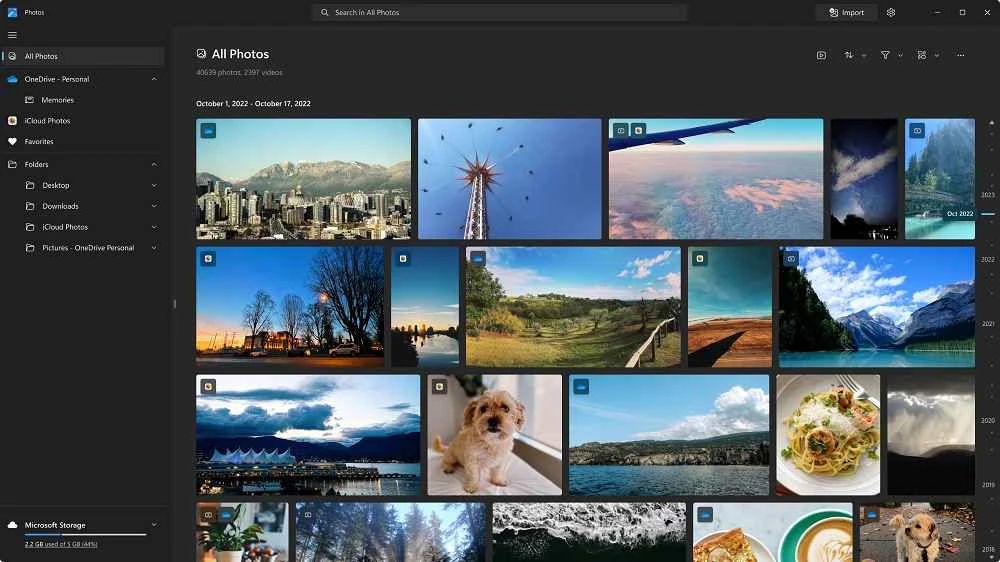
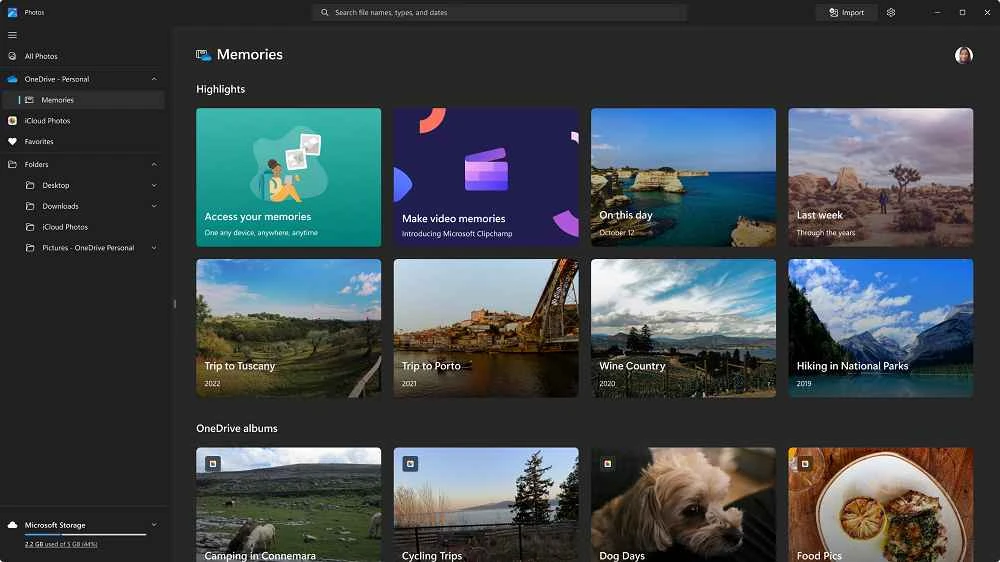
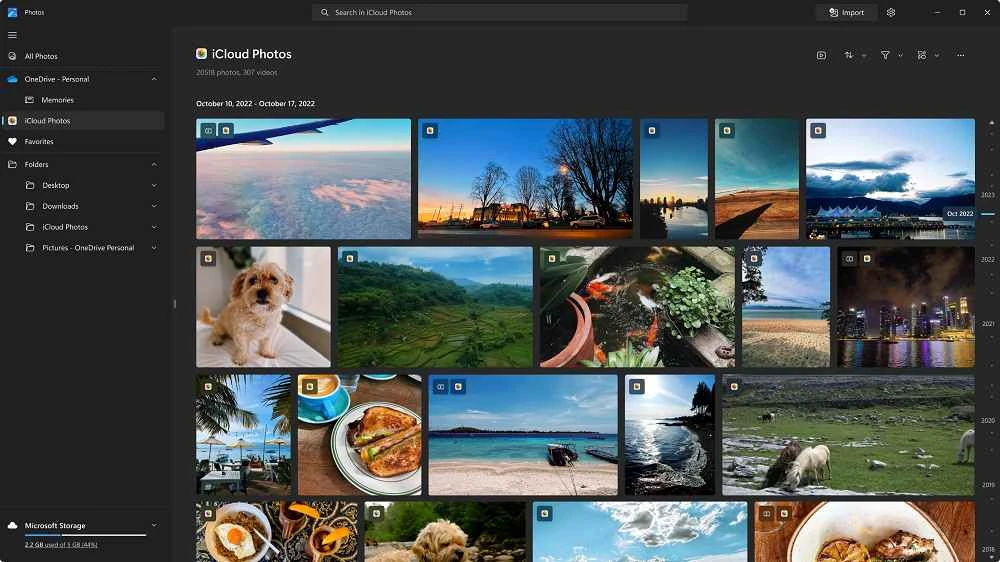
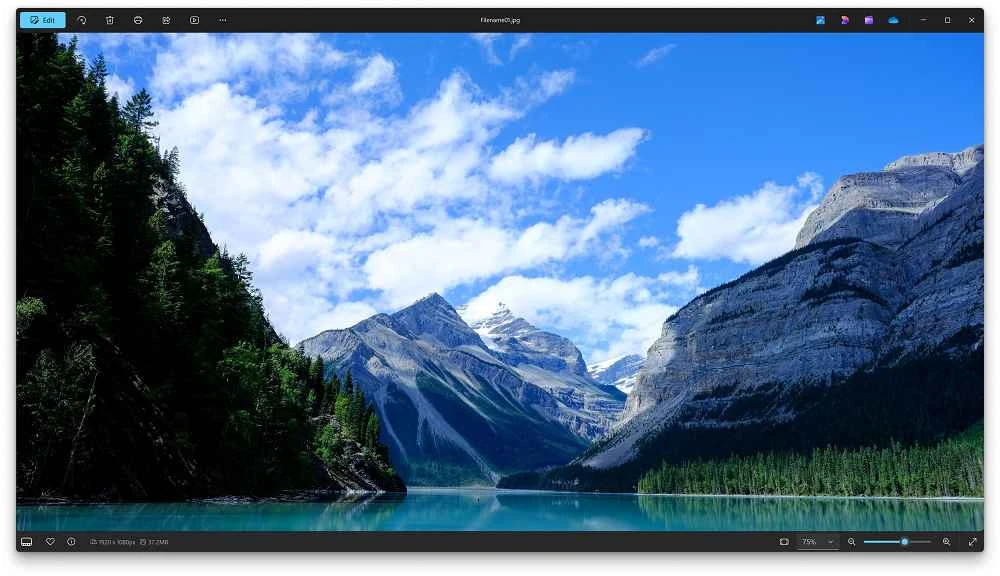
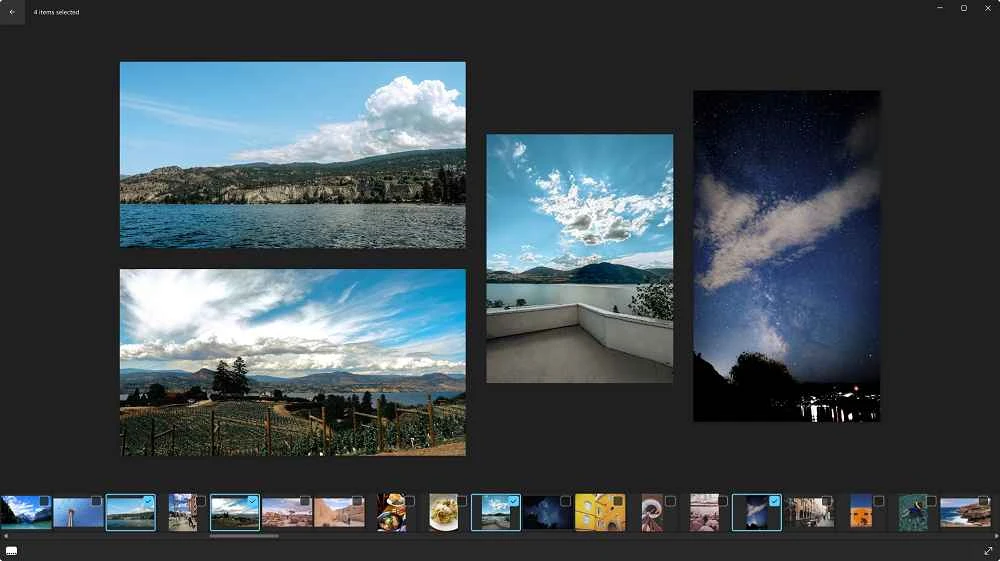
Microsoft Photos is a free photo management tool, allowing you to quickly access and view all visual content, such as photos and videos, on your PC. It offers a distraction-free photo-viewing experience with a huge collection of features. It also allows you to organize the photos into folders and albums to make them quickly accessible.
The innovative app is highly compatible with the latest Windows versions, Windows 10 and Windows 11. It is also integrated with cloud storage services, such as OneDrive and iCloud Photos, allowing users to reliably view, edit, and organize their visual content on both storage services.
Microsoft Photos, developed by Microsoft Corporation, falls under the Graphics Applications category and is freeware software. It combines local as well as cloud media management, working as a system-level gallery and basic editor for Windows-based computers.
The app commonly comes pre-installed within Windows operating systems; however, you can install it for free from the official website or from any other authentic website. The lightweight utility makes your photo management simple and fast, offering a wide variety of navigation, search, and filtering tools.
The app, with a huge hub of visual content, offers an awesome viewing and editing experience, regardless of whether the photos and videos are stored on local storage or on cloud storage services. It makes it possible to view images from any device and share them with others easily. The support for filtering photos makes it possible to discover photos by size, resolution, formats, and so on. Moreover, you can view the images as a slideshow, or make them smaller for fast scrolling, and even larger to view in detail.
The stunning editing capability allows you to make adjustments in daily use, emphasizing speed and ease of use. You will find quick controls, such as brightness, contrast, sharpness, and color balance, to enhance the visuals easily. For videos, you will find trimming, splitting, and simple effects to maintain your personal short projects reliably. In addition, the support for mouse, keyboard, touch, and pen input streamlines an exciting and awesome editing process.
The availability of various automated tools makes your editing process easier and quicker. You can create a backup to cloud storage and create unique collages automatically using the local photos and videos. You can also add audios and video effects to enhance your creativity, and have fun while sharing such stunning content with your friends, family, and even on social media platforms.
The app helps you easily search for your desired visual content without navigating a huge database manually. It arranges the library by date, location, and faces, offering an easy search option, as you only need to type a keyword, and it will display all related content, even if you have not labelled it. Cloud storage services can reliably mirror entire visual content on multiple devices, making it accessible easily and quickly. However, you can view it only on devices that have the same sign-in.
The images are indicated through a small icon to be displayed as thumbnails, and you can recognize them easily, as they are available within the format of the file, such as photo, video, and also mention the location, including local or cloud. You can also tag the app as Favorites to access it more easily. The app also offers a built-in diagnostic capability, allowing users to easily identify how much cloud storage is available.
The support for 3D effects makes your visual content unique and stunning, as you can make changes to your videos such as audio, camera motion, text, filters, and so on. Likewise, add 3D effects, such as a swarm of bees, lightning, or a fireball, to the video clips. It makes it possible to draw images or videos and also create animated playback. Moreover, some beauty effects are also available to enhance the beauty of your face, such as fixing red eyes, removing blemishes, and so on.
The app offers a specific Share toolbar for quick and easy sharing, allowing users to share individual photos or even batch sharing. You only need to click on the “Select” option, select the photos section, and click the Share button after choosing your desired photos. You can open the Share toolbar by pressing the Windows + H keys on your keyboard.
The app offers awesome compatibility for multiple file types for the ease of users easily share, and convert the photos into any other format. For images, the supported formats are JPEG, PNG, GIF, BMP, HEIF, RAW, TIFF, and WebP. Likewise, you will find MP4, MOV, AVI, and HEVC for videos. Moreover, the support for more than 160 languages allows seamless extraction, copying, or searching text right from images.
Pros
Cons

Adobe Photoshop 7.0 is one of innovative photo-editing apps on a professional level

Adobe Photoshop is designed for editing images, graphical designing, and manipulating digital images.
Stable and enhanced photo editing with Adobe Photoshop CS3

PicWish, edit your photos using AI advanced technology

Adobe PageMaker creating documents via scratching, templates, and images

PixelLab offers the capability of editing your photos on the big screen.